Case Study
Sales Associate Mobile App
I helped turn an early product idea into a clickable concept: an AI-assisted mobile app for luxury retail sales associates, built to be pitched to potential clients. The whole process, from first ideas to a working prototype, took about a month.
01
Context
Product
A mobile assistant for sales associates in luxury retail. It brings together the daily task list, client profiles, communication history and AI recommendations, so an associate can prepare for each client and follow up.
Problem
There was no existing product, only an idea and a concept. The team first had to decide what the app should actually do, then shape it into something that could be shown and sold. All of it had to fit into roughly one month.
My role
I worked in a team of three designers. I took part in user story mapping and MVP scoping, designed wireframes for the core flows, and co-created the moodboard. Once the visual direction was set, I reworked part of the screens in the final style. I then assembled the high-fidelity interactive prototype used for client presentations.
Scope
Dashboard · Tasks with AI context · Client list and profile · AI email summary and next steps · Interactive prototype.
02
Starting from an idea, not a brief
There were no fixed requirements. With about a month for everything, each stage had to be short and decisive.
Breadth first
Generate as many feature ideas as possible across the associate's whole workday.
Then focus
Keep only the features that make the concept clear and convincing in a demo.
03
User story mapping: from many ideas to an MVP
The map followed the associate's workday, from planning tasks to recommending products.
Under each step we generated possible features, from AI-prioritized reminders to call transcription and style-compatibility analysis. The map was then sliced to define the MVP: the features that best showed the product's value in one end-to-end story.
Plan work day
Manage client relationships
Initiate communication
Understand client needs
Recommend products
04
From wireframes to one visual style
Based on the MVP scope, I designed wireframes for the key flows: dashboard, tasks, client profile and AI-assisted communication. They let us check that the main scenario held together before working on visuals.
Wireframes
Structure of the core flows, checked against the MVP scenario.
Moodboard
Built together with the team. Luxury retail called for a calm, premium interface that is easy to scan between client conversations.
Restyling
Once the concept was agreed, I reworked part of the screens so the three designers' work read as one product.
05
Key screens
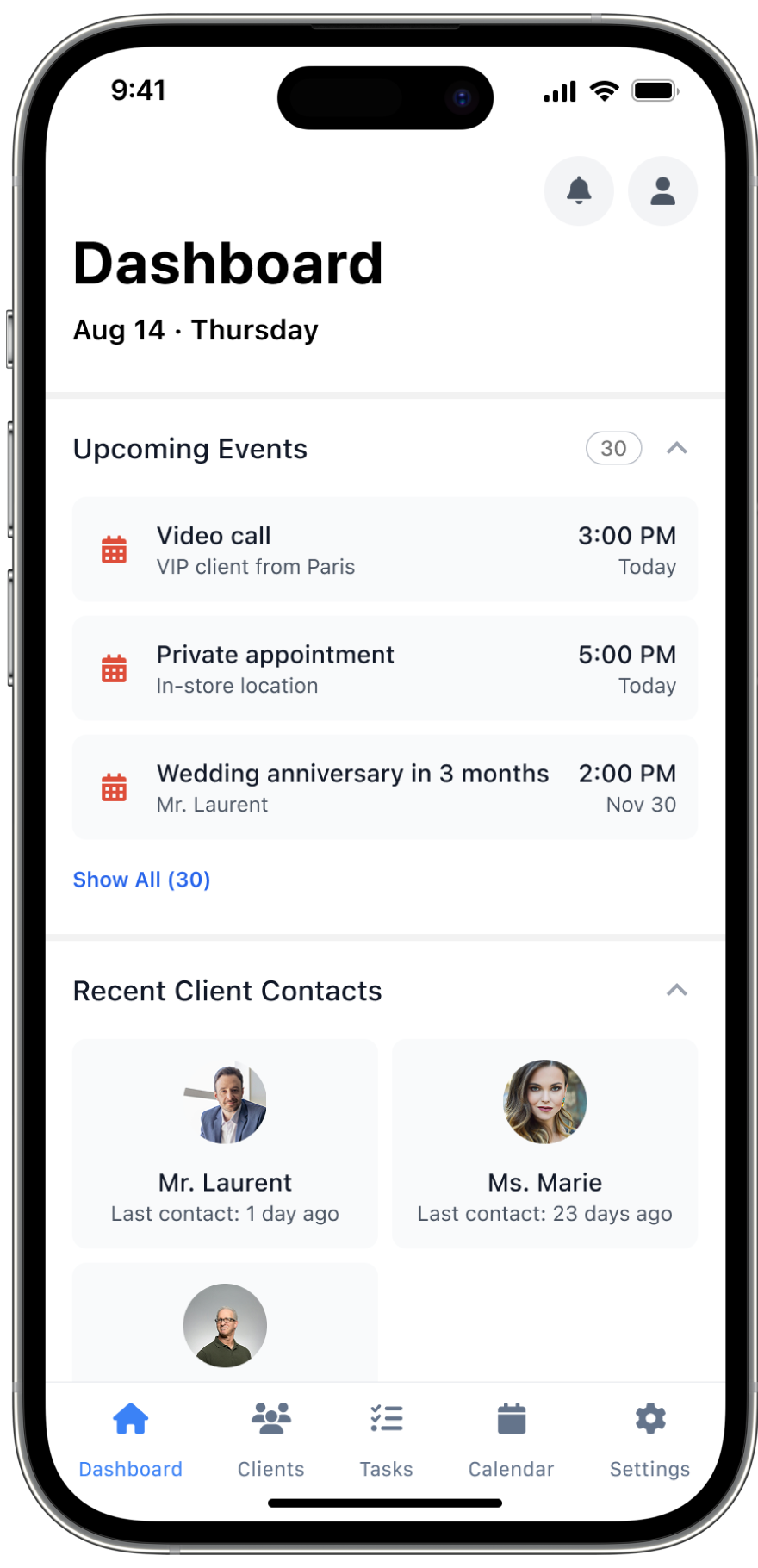
Dashboard
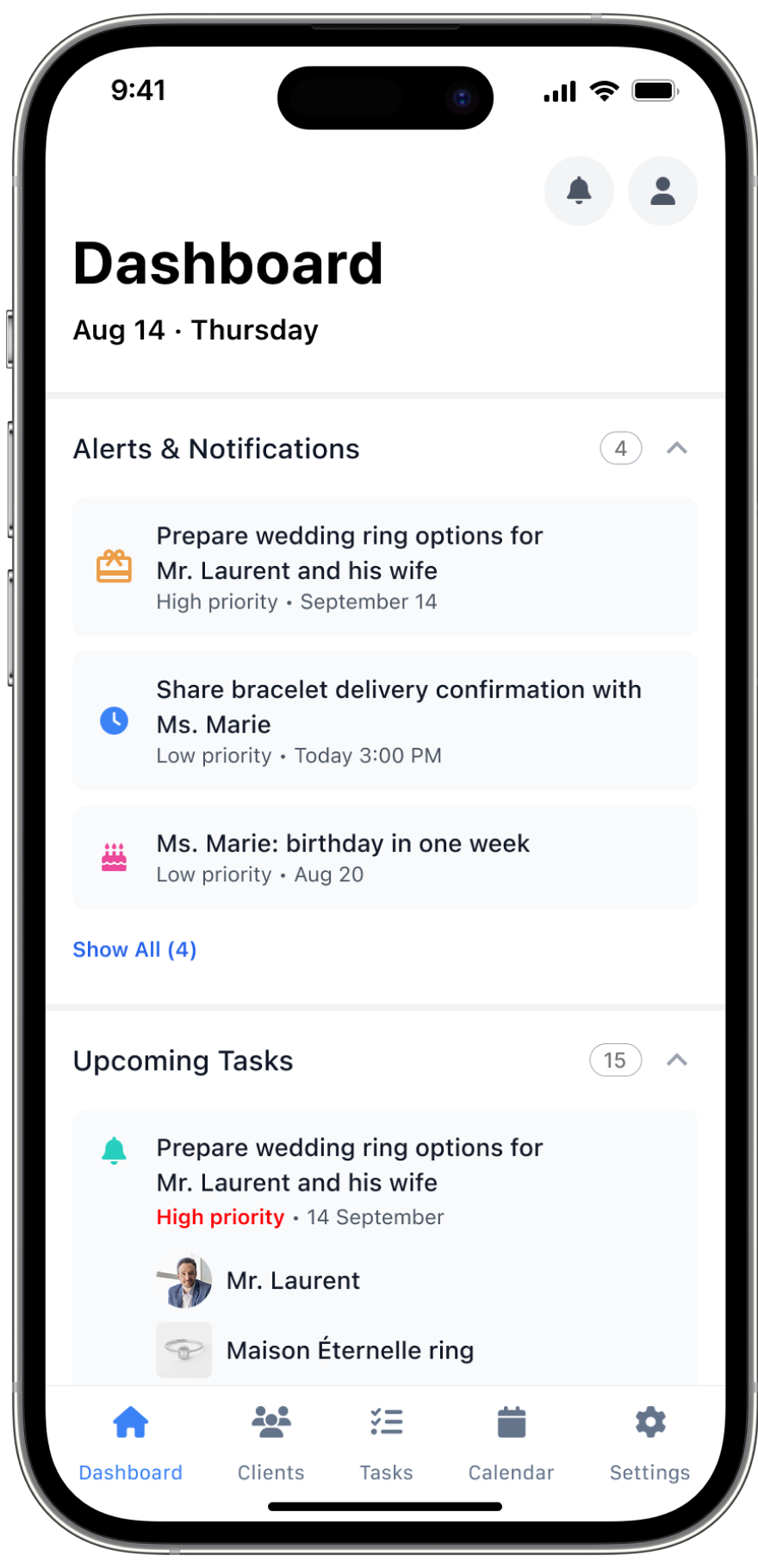
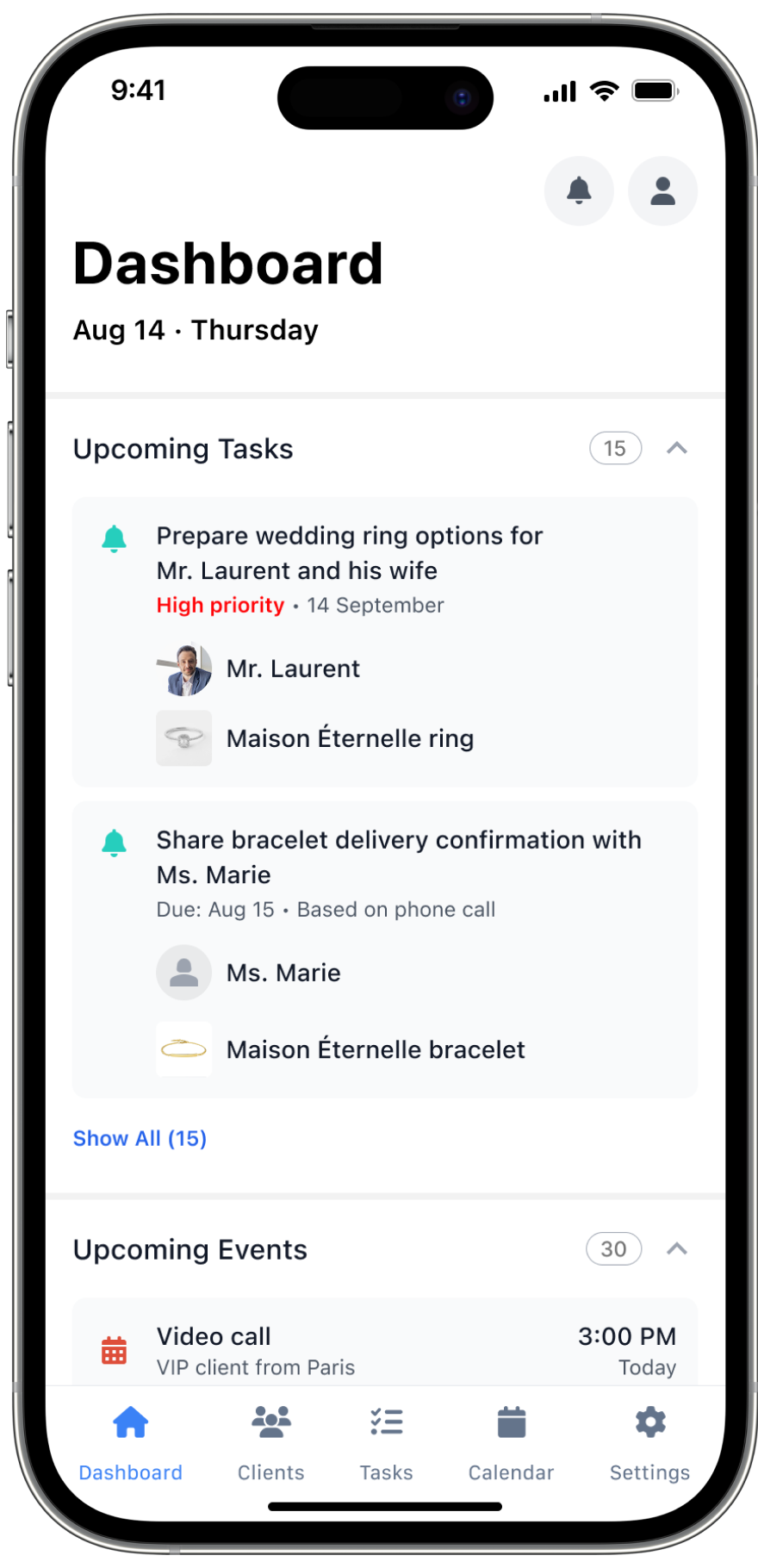
A daily overview: upcoming tasks, events and recent client contacts. Each block collapses, so the associate sees only what matters right now.
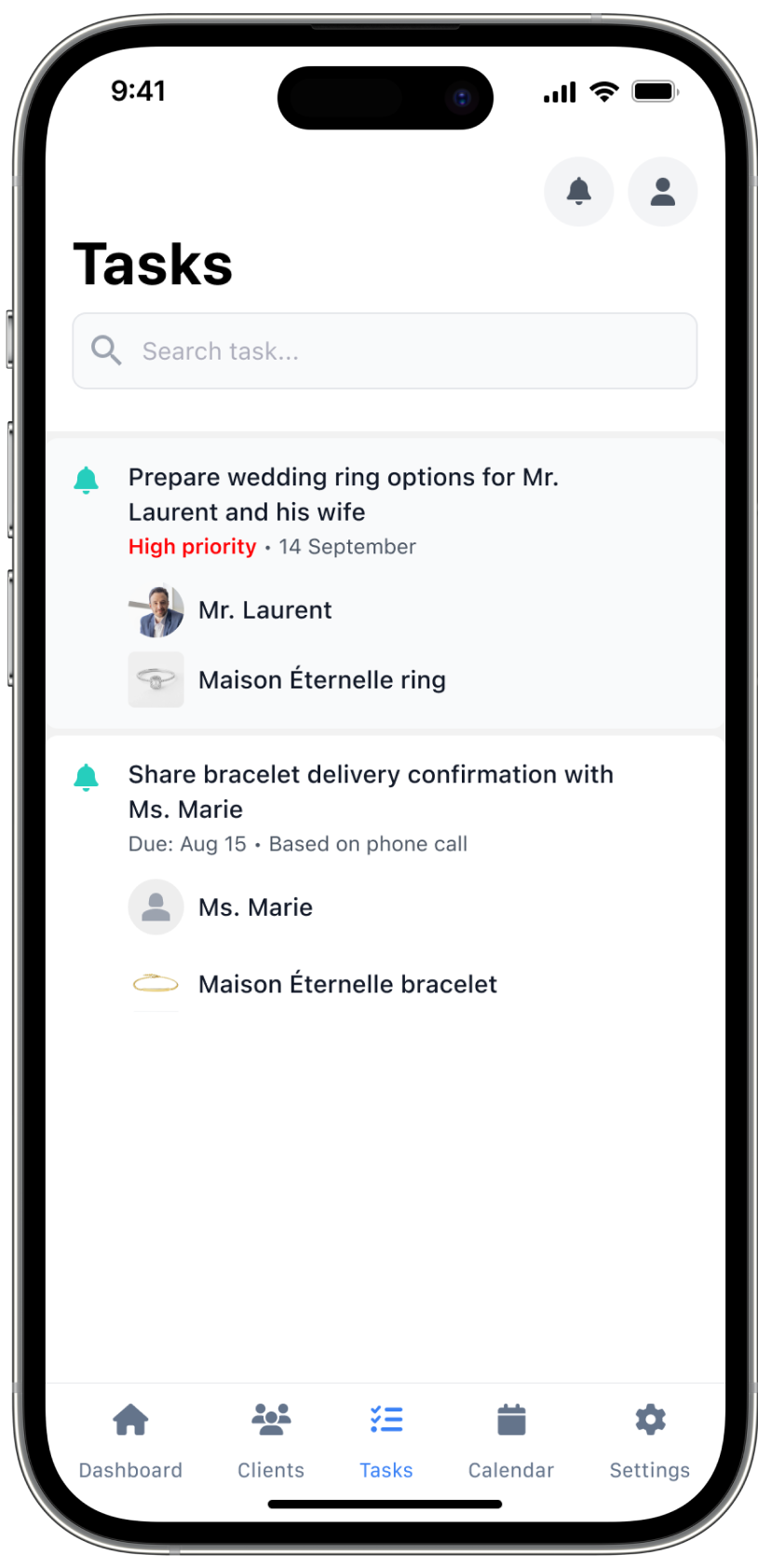
Task card with AI context
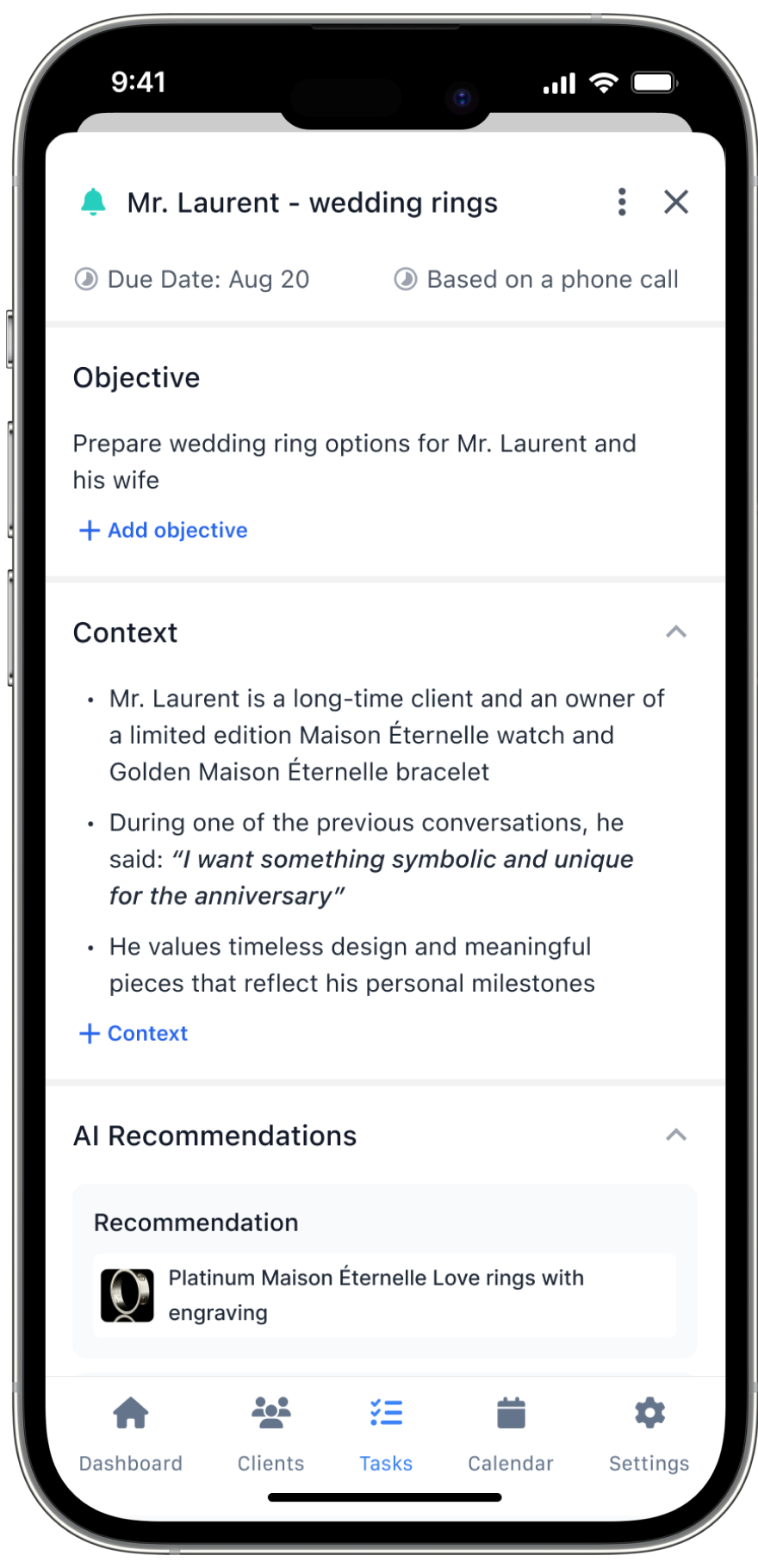
Each task carries an objective, client context from past conversations, including the client's own words, and AI product recommendations.
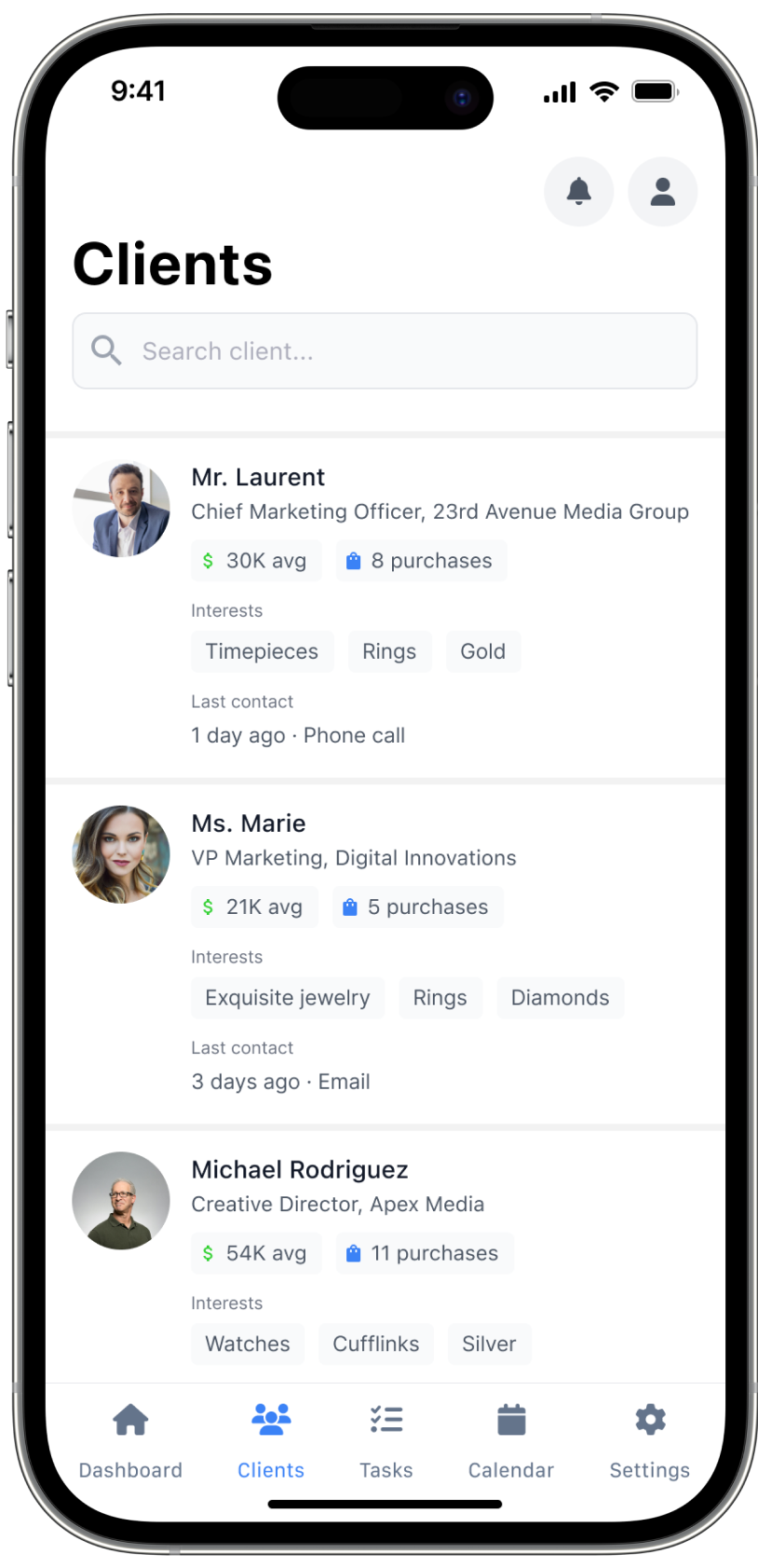
Clients
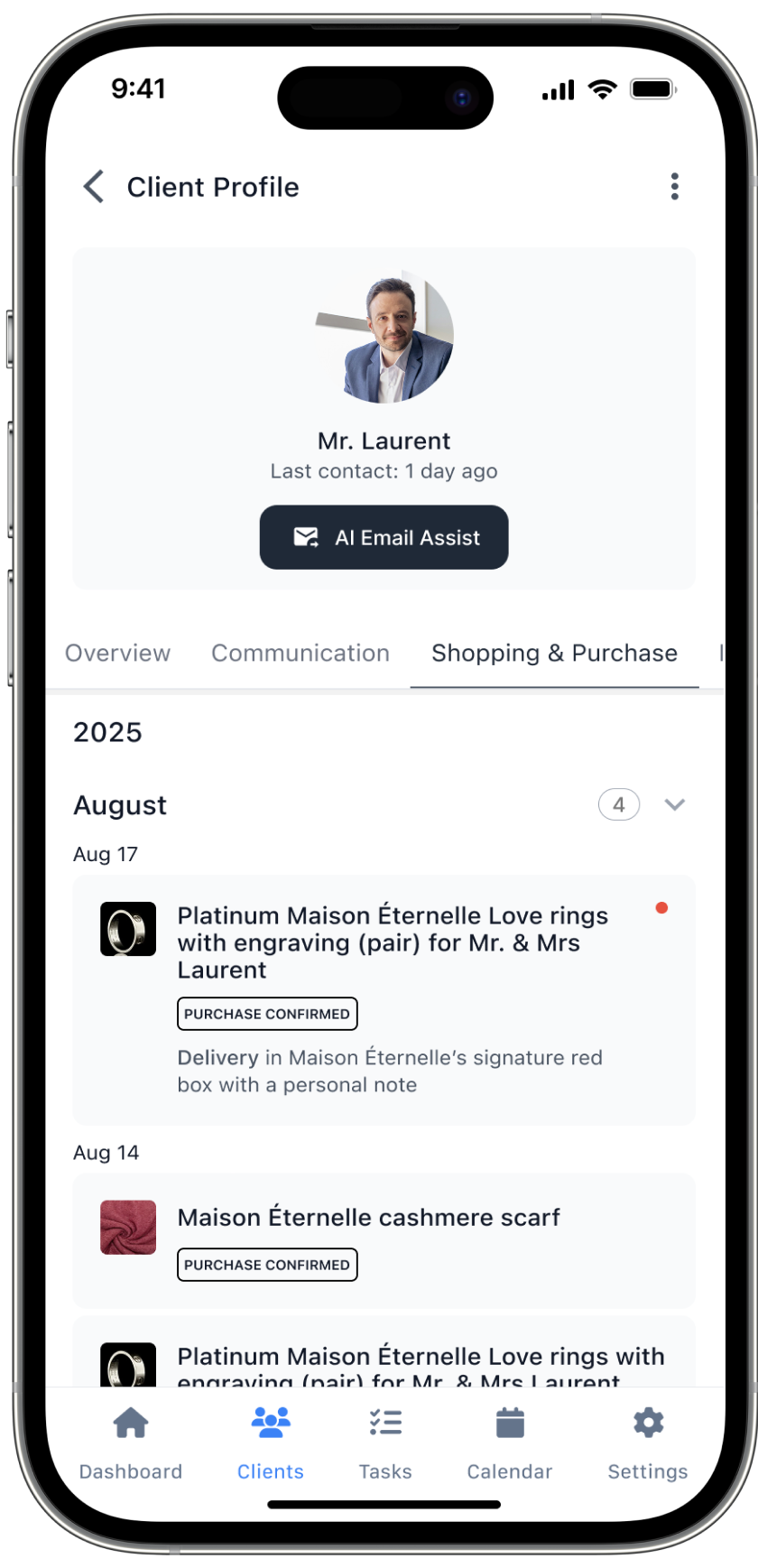
A list built for quick scanning: average spend, number of purchases, interests and last contact on every card. The profile adds communication and purchase history.
AI email summary → next steps
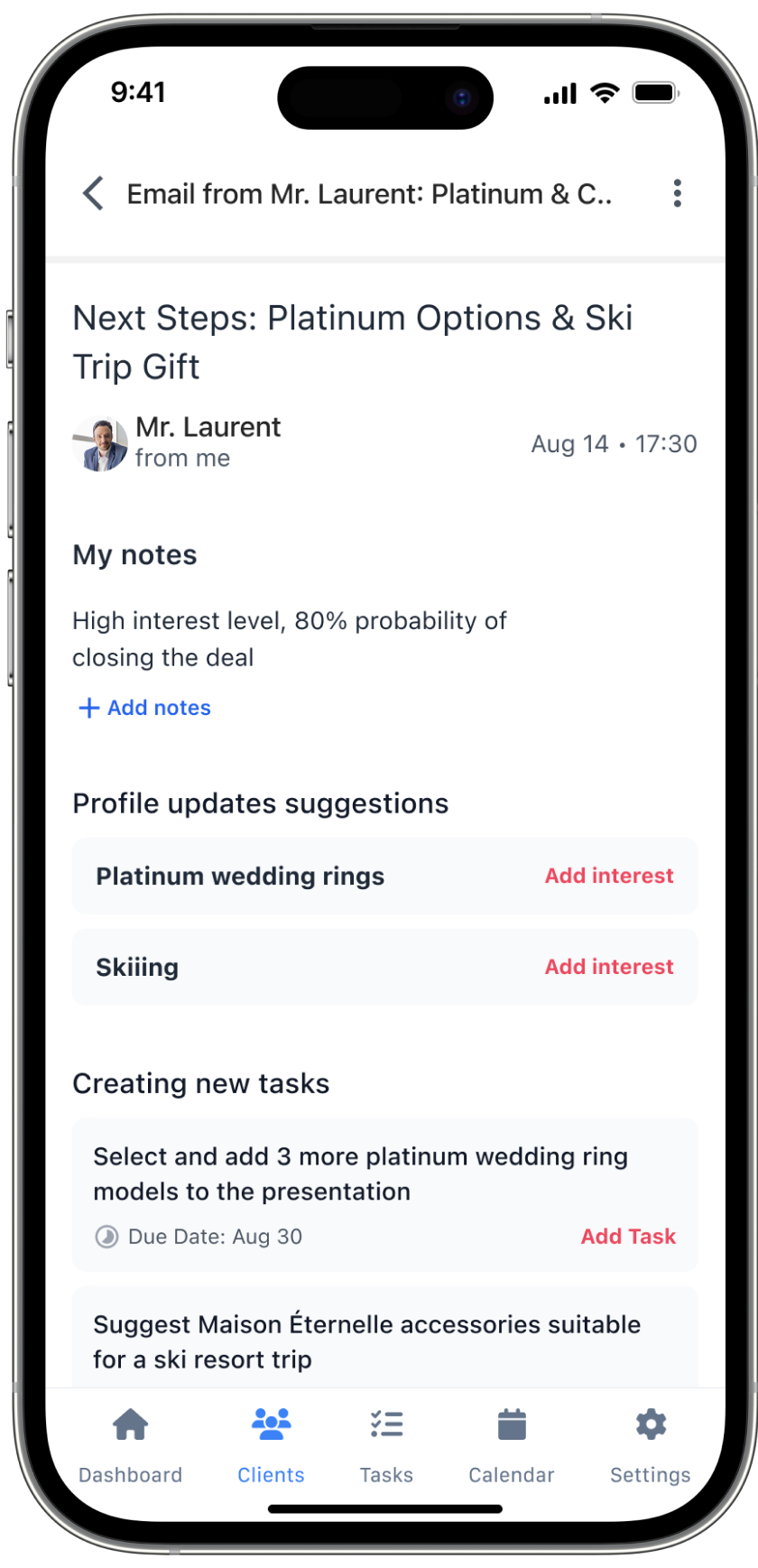
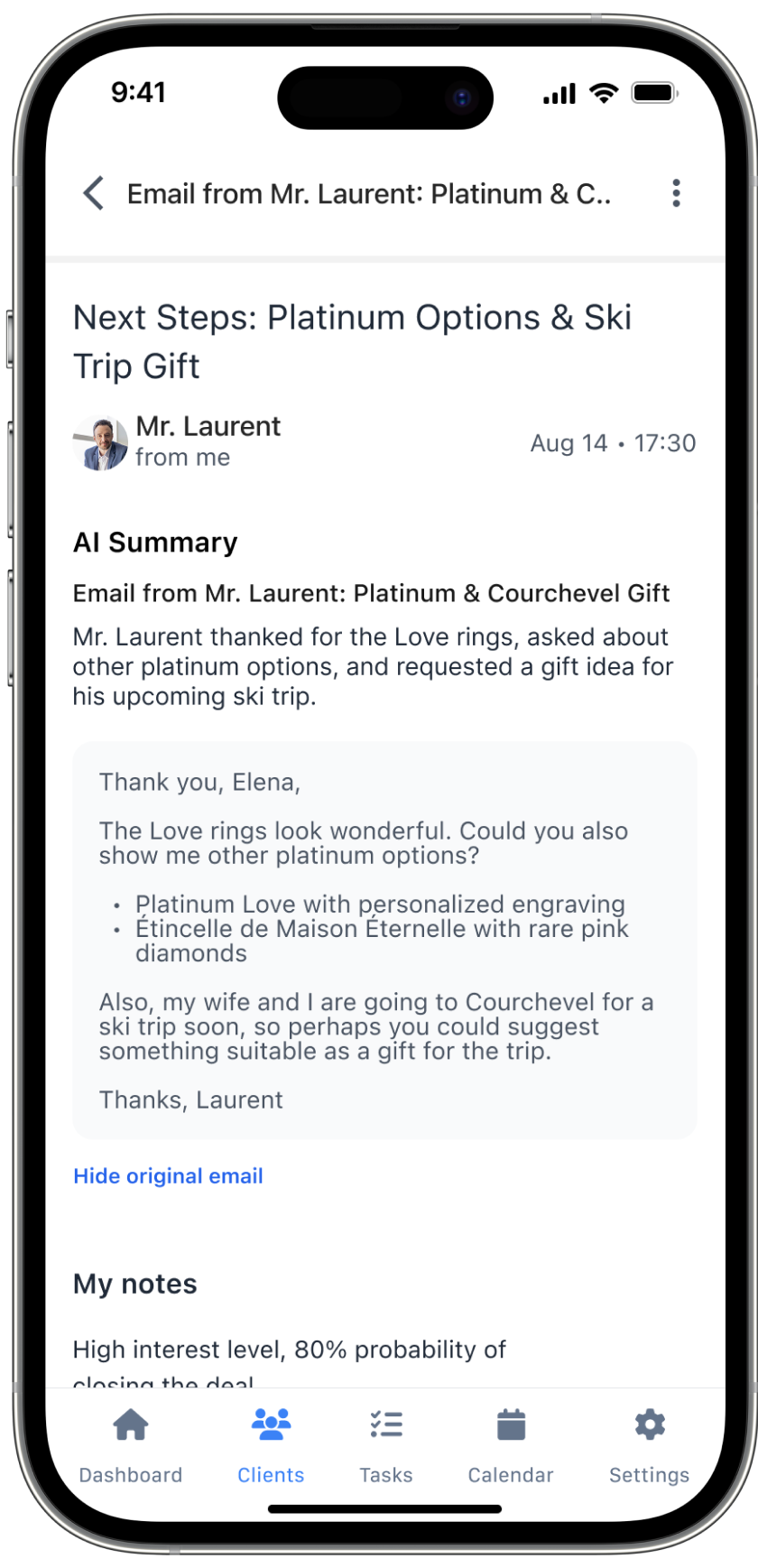
An incoming email is summarized. AI then suggests profile updates, such as new interests, and follow-up tasks the associate can add in one tap.
06
Final flow
1 · Dashboard
A new alert and a high-priority task appear.
2 · Email
An AI summary highlights the client's request.
3 · Next steps
AI suggests profile updates and new tasks.
4 · Tasks
The new task appears in the list.
5 · Task card
Objective, client context and an AI recommendation.
6 · Client profile
Purchase history confirms the choice.
07
Results
The high-fidelity interactive prototype became the main tool for pitching the product concept.
Delivered
- User story map with a defined MVP scope
- Wireframes for the core flows
- Moodboard and visual direction
- High-fidelity screens in one consistent style
- An interactive prototype of the end-to-end scenario
- All of the above in about one month
08
What I learned
Designing from a concept, not a brief
When there's no product yet, the hardest part is deciding what not to build. Story mapping made those cuts visible and shared.
Prototype as a sales tool
A prototype for a pitch has a different job than one for usability testing. It has to tell one convincing story from start to finish.
Working in a design team
Splitting screens between three designers only works with a shared visual direction. The moodboard kept the result consistent.